Collecting Data
Before you can reduce SOXS data, you will first need to download the data from the ESO Science Archive Facility (SAF). As a first step, navigate to the SAF query interface and enter the details of the object dataset you want to download. Add the target’s name and, optionally, the night the data was acquired. Select SOXS under the Spectroscopy column (and Imaging if required) and check ‘Science’ under the Category section (see Fig. 4). Now, click the green ‘Search’ button.
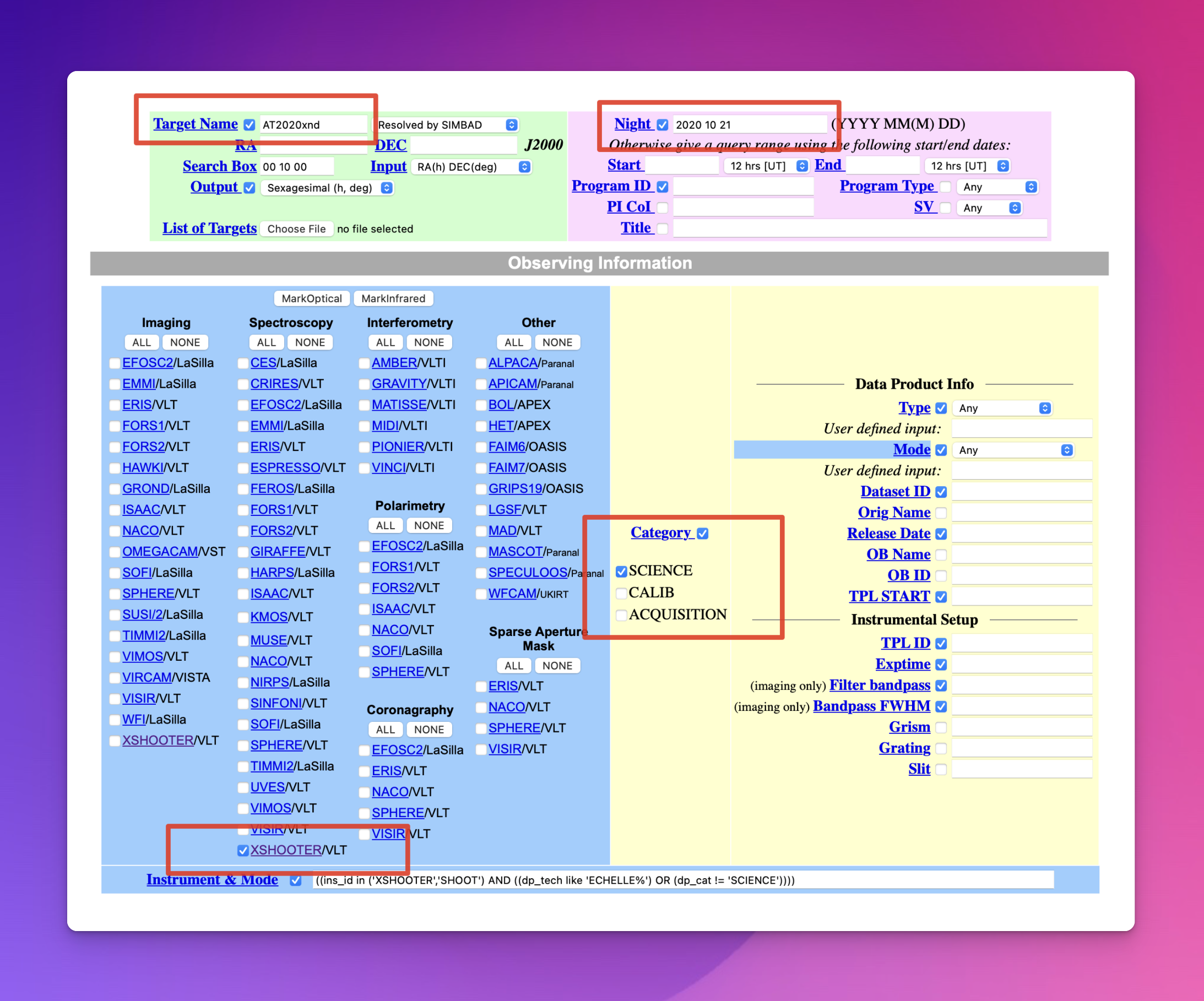
Fig. 4 The Query Interface of the ESO Science Archive Facility (select SOXS as your instrument).
Now, click on the ‘MarkAll’ button and then ‘Request marked datasets’ (see Fig. 1).
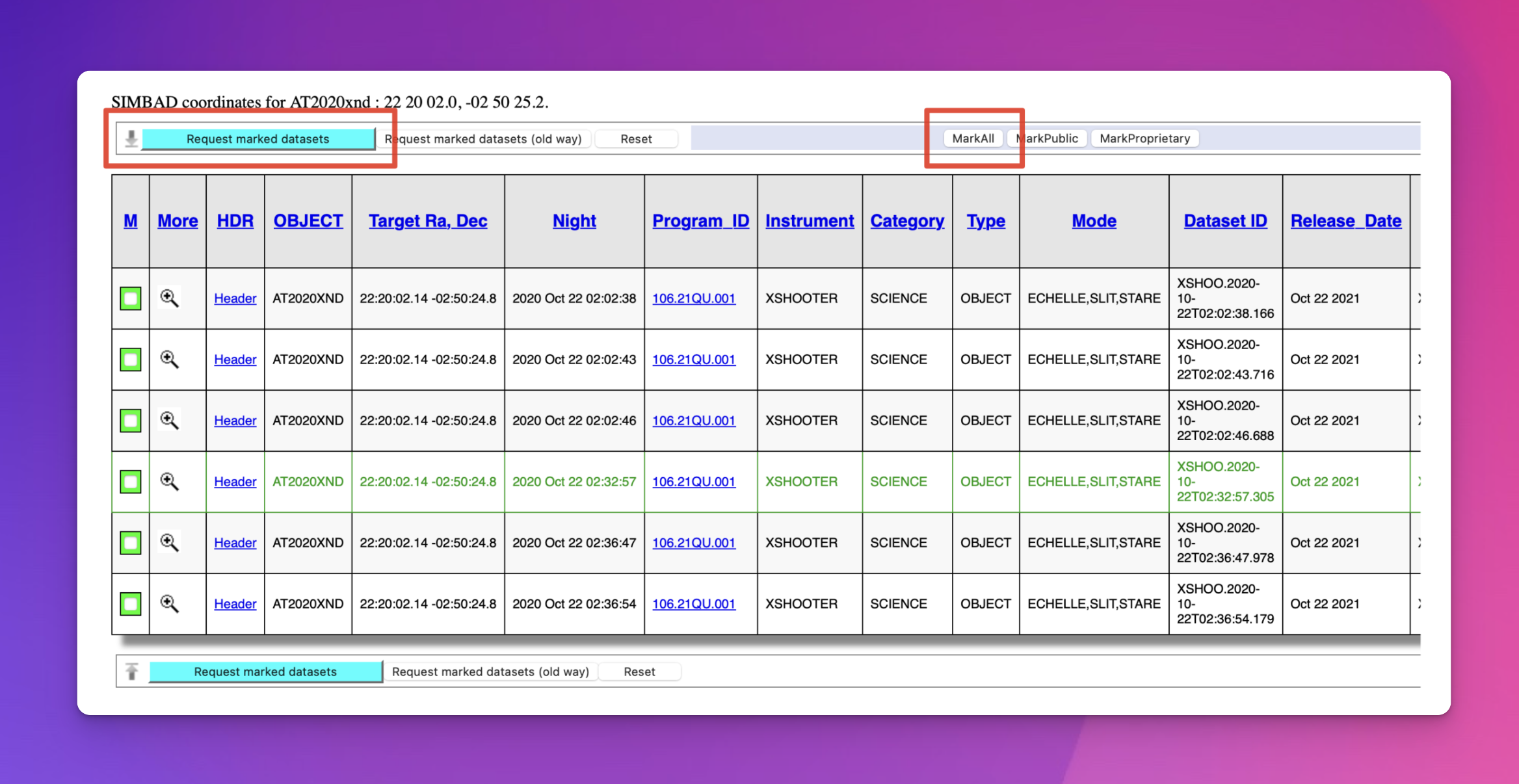
Fig. 5 Mark all of the data and request to download.
Collecting the associated raw calibration frames with the raw science frames is essential. Otherwise, the pipeline will not be able to reduce your data. To do this, click the ‘Run association’ button beside the ‘Associated raw calibrations’ checkbox (shown in Fig. 2). Once the association is completed, the ‘Associated raw calibrations’ checkbox should be checked.
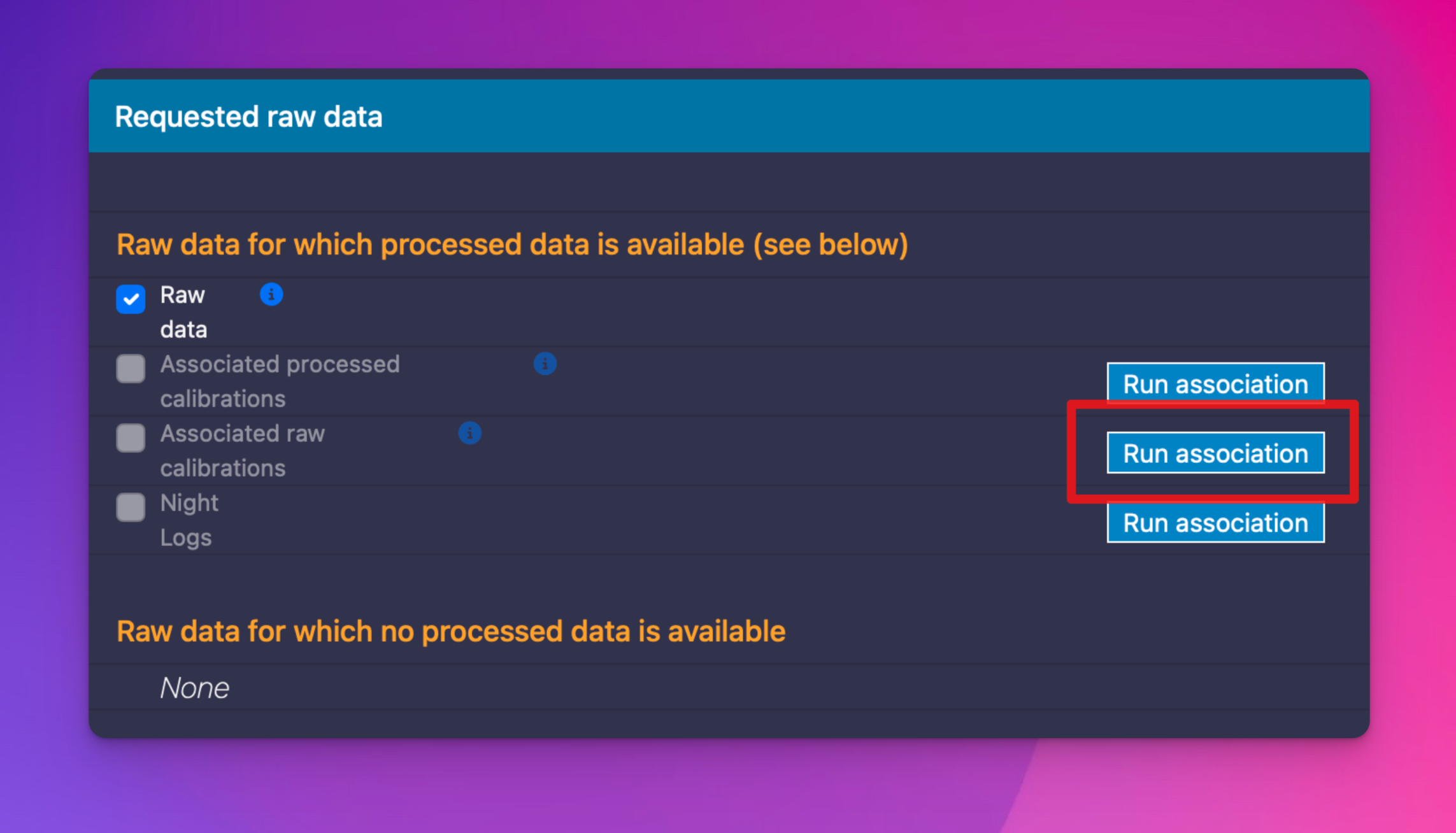
Fig. 6 Download the associated calibration data alongside the science data.
Finally, click the ‘Download ZIP file’ button.
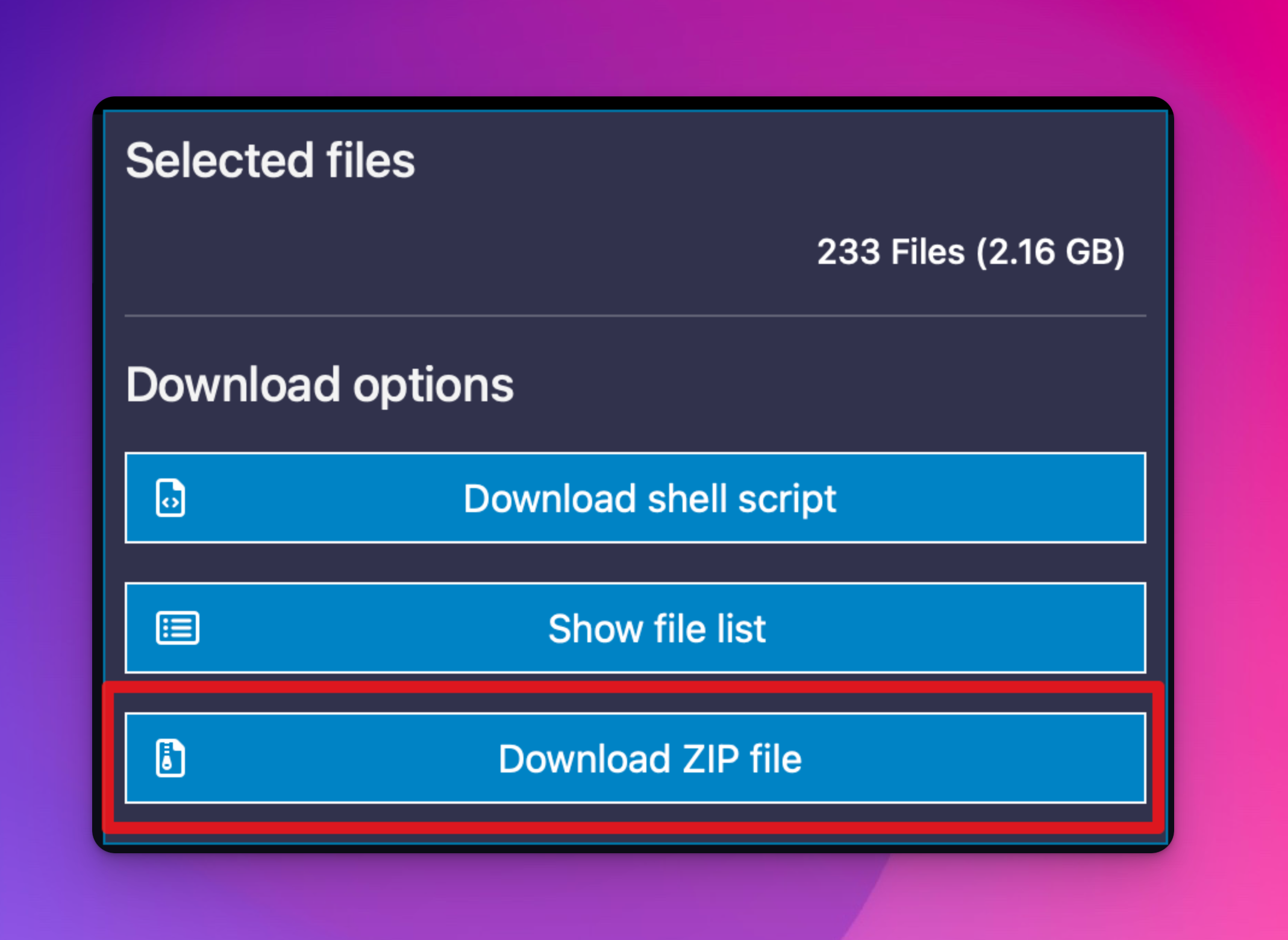
Fig. 7 Download the data by clicking the ‘Download ZIP file’ button.
The data will be collected in an ‘archive.zip’ archive, which can be uncompressed with the ‘unzip’ terminal command or typically by double-clicking the archive in your machine’s file browser.